
Check Ufone SIM Owner Details
in Pakistan 2026
Every day in Pakistan people receive calls from numbers they don't recognize. Some of those calls feel suspicious. Some feel like scam attempts. And sometimes a person just wants to confirm whose number it is before calling back.
Knowing how to check Ufone SIM owner details is useful in many real-life situations whether you want to find out who is behind a certain Ufone number or confirm how many SIMs are currently registered under your own CNIC.
Ufone SIM Owner Details Check
Enter mobile number or CNIC to continue to PTA
What Does SIM Owner Information Mean in Pakistan?
When any SIM card is issued in Pakistan it must be registered under a valid CNIC that is a Computerized National Identity Card. This is a rule enforced by the PTA (Pakistan Telecommunication Authority). Every mobile network operating in Pakistan including Ufone, must follow this regulation.
So when you check Ufone SIM owner details you are looking at the CNIC-linked registration data attached to that phone number. This typically includes the registered owner's full name, the CNIC number the SIM is tied to and the total number of SIMs active under that identity.
This information becomes important in situations like:
- Receiving repeated unknown calls from a Ufone number
- Suspecting that your CNIC has been misused to register a SIM without your knowledge
- Verifying whether a number calling your child or family member is safe
- Checking how many SIMs are officially running under your identity
Who Is Actually Allowed to Access Ufone SIM Details in Pakistan?
This is the part most articles either skip or get wrong so it is worth being clear here.
Pakistani telecom law protects the personal data of every mobile subscriber. Ufone like all other networks that is legally bound to keep customer information private. You cannot simply look up the full personal details of a random phone number that would be a privacy violation under Pakistani law.
What you are legally allowed to do is:
- Check which SIMs are registered on your own CNIC
- Verify whether a specific number is active or registered on the network
- Report misuse of your CNIC to PTA or Ufone directly
The official tools described below are designed exactly for these purposes. Always use them for legitimate for personal safety reasons.
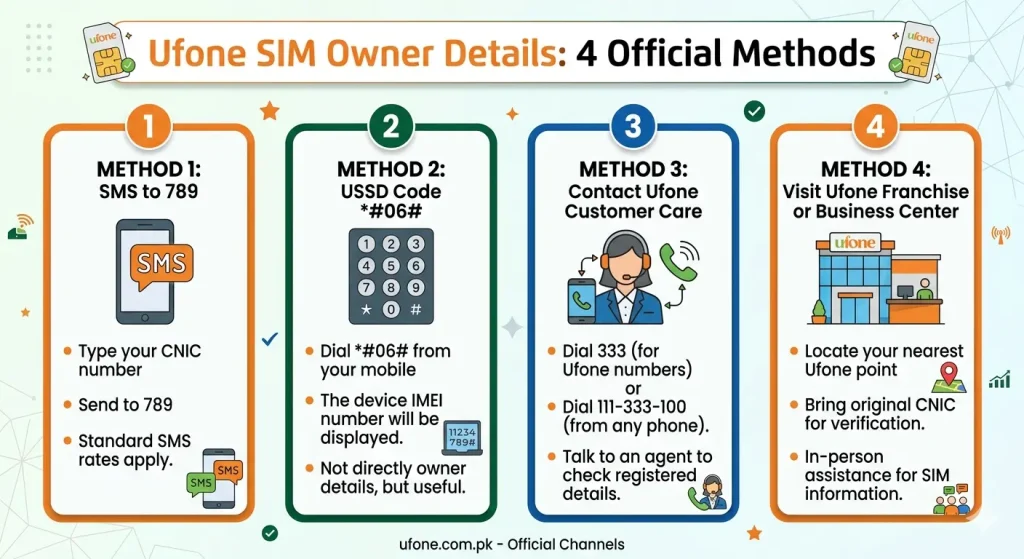
How to Check Ufone SIM Owner Details — 4 Official Methods
Here are four verified, safe, and free ways to check SIM owner details for Ufone numbers in Pakistan right now.
PTA's Official SIM Verification Portal
The Pakistan Telecommunication Authority has its own online service for SIM registration checks. This is the most trusted and accurate way to check Ufone SIM owner details online.
- Open your browser and visit pta.gov.pk
- Find the section called "SIM Information System" or navigate to the DIRBS portal
- Enter your 13-digit CNIC number (without dashes)
- Complete the on-screen identity verification step
- A list of all SIM cards registered under your CNIC will appear — including any Ufone numbers
This method covers all Pakistani networks at once — Jazz, Zong, Telenor, and Ufone. If you want a full Ufone SIM information check alongside other networks, this is the best starting point.
SMS Code 668
This is the quickest method available. You do not need a smartphone or internet connection — a basic phone works fine.
- Open your phone's SMS app
- Type your 13-digit CNIC number — no dashes (example: 3520212345678)
- Send the message to 668
- Wait a few seconds for the reply
You will receive an SMS showing all SIM cards registered to that CNIC across all networks in Pakistan. This Ufone SIM number check code is officially recognized by PTA and works from any Pakistani mobile network — not just Ufone.
Ufone Helpline — Call 333
If you prefer speaking to someone directly, Ufone's customer support team can verify SIM registration information in real time. This method is also useful when you need to take action, not just check information.
- Dial 333 from your Ufone number
- Tell the agent you want to check Ufone SIM information or confirm the Ufone number owner details linked to your CNIC
- Keep your CNIC ready — you will be asked to verify your identity
- The agent will guide you through the rest of the process
| Contact Method | Details |
|---|---|
| Helpline (Ufone number) | Dial 333 (free call) |
| Helpline (any number) | 0333-1000333 |
| Working Hours | 24 hours a day, 7 days a week |
Visit a Ufone Service Center In Person
For situations that need official, in-person attention — like requesting written confirmation or correcting wrong registration details — visiting the nearest Ufone franchise or service center is the right move.
- Your original CNIC card (not a photocopy)
- The phone number in question
Ufone staff have direct access to the Ufone SIM details check system and can verify information accurately. They can also block unauthorized numbers on the spot and guide you through the formal complaint process if needed.
What Information Will You Actually Receive?
When you check Ufone SIM owner details using any of the official methods above here is what you can expect to find:
- The total number of SIM cards registered to your CNIC
- The name of the network each SIM belongs to (e.g., Ufone, Jazz, Zong)
- The activation or registration status of each number
It is important to understand one limitation. Full personal details of another person such as their name, address, or CNIC number that are protected by Pakistani privacy law. You cannot access someone else's private profile without legal authorization. The tools above are built to verify your own SIM registrations, not to expose other people's identities.
Important Privacy and Legal Rules to Know
Before you check any Ufone SIM information, there are a few important rules to keep in mind.
Biometric Registration Is Required for All SIMs
Every SIM in Pakistan must be activated through thumb impression verification at an authorized franchise. This means no SIM can legally exist without being linked to a real CNIC which makes the official verification tools reliable and accurate.
You Are Only Allowed to Check Your Own Registered SIMs
Using official tools to look up another person's private data without their permission violates Pakistani telecom and privacy laws. These services are strictly intended for personal SIM verification only.
Unauthorized SIM Registration Is a Punishable Offense
If someone uses your CNIC to register a SIM without your knowledge, that is a criminal act under Pakistani law. Report it immediately through PTA's complaint portal or Ufone's helpline.
Avoid Third-Party Apps and Unverified Websites
Many apps and websites claim to show full SIM owner profiles. Most of them either display inaccurate data or collect your information for unknown purposes. Stick to PTA and Ufone's official channels for any Ufone SIM owner name check or verification.
Final Thoughts
Checking Ufone SIM owner details in Pakistan is straightforward when you use the right official tools. The SMS method (send CNIC to 668), the PTA portal at pta.gov.pk and Ufone's helpline at 333 are all free, trusted and easy to use even for someone on a basic mobile phone.
If something feels off to an unknown Ufone number calling repeatedly or an unexpected SIM showing up on your CNIC act quickly. PTA's verification system is built exactly for moments like this.
Always use official sources. Stay informed. And protect your CNIC like you protect your house keys.
Frequently Asked Questions (FAQs)
Yes. Send your 13-digit CNIC number (no dashes) via SMS to 668 from any mobile phone. You will receive a reply listing all SIMs registered to that CNIC. This method works without internet and is completely free.
PTA allows a maximum of 5 SIMs per CNIC across all networks in Pakistan. If your check reveals more than 5 numbers under your name, contact PTA at 0800-55055 or file a complaint online to get the extras blocked.
First, verify it using the SMS method or PTA portal. If you confirm a number you did not register, report it immediately at complaint.pta.gov.pk or call Ufone customer support at 333. You can also visit a Ufone service center to block it in person.
Checking the SIM registrations on your own CNIC is completely legal. PTA has built official tools specifically for this purpose. What is not legal is using unauthorized third-party apps to access other people's private registration data without their consent.
After reporting to Ufone or PTA, most unauthorized SIM blocks are processed within 24 to 48 hours. For faster action, visit a Ufone service center in person with your original CNIC — on-site requests are usually processed the same day.