
NADRA SIM Owner Details
Checker Online
In Pakistan, every SIM card must be registered with a real identity. That is why people often want to check NADRA SIM owner details to see who owns a number or how many SIMs are linked to their CNIC. Whether you got a missed call from an unknown number, or you want to make sure no one is misusing your ID.
This article explains what NADRA SIM owner details are, how to check them online, which tools actually work, and what to watch out for.
NADRA SIM Owner Details Check
Enter mobile number or CNIC to continue to PTA
What Are NADRA SIM Owner Details?
NADRA SIM owner details refer to the information that is connected to a SIM card through the national identity system. When someone buys a SIM card in Pakistan, they must show their CNIC (Computerized National Identity Card). The SIM is then registered under that person's identity in the national database.
This means every SIM card in Pakistan is linked to a real person's name, CNIC number, and mobile network. NADRA (National Database and Registration Authority) holds this identity data. PTA (Pakistan Telecommunication Authority) manages the SIM registration records.
When people say they want to check NADRA SIM information with number, they usually want to find out who owns a specific mobile number — or they want to check how many SIMs are registered on their own CNIC.
What Is the Difference Between NADRA and PTA?
Many people think NADRA directly provides SIM ownership information. But that is not fully correct. Both NADRA and PTA play different roles. Here is a simple comparison:
| Feature | NADRA | PTA |
|---|---|---|
| Full Name | National Database and Registration Authority | Pakistan Telecommunication Authority |
| Main Job | Manages national identity (CNIC, B-Form, Passport) | Regulates telecom services and SIM registration |
| Holds SIM Data? | Holds identity data linked to SIMs | Holds SIM registration records directly |
| Public Access? | No direct public portal for SIM info | Yes — via cnic.sims.pk |
| Legal Authority | Issues national ID documents | Issues SIM blocking and verification orders |
So when you check NADRA SIM data online, you are technically using PTA's SIM registration system. The two work together — NADRA verifies your identity, and PTA stores your SIM records.
Why Does Pakistan Have a SIM Registration System?
The government of Pakistan made SIM registration mandatory for very important reasons. Here is why this system exists:
- Stop Crime: Unregistered SIMs were used by criminals for threats, fraud and illegal activities.
- Protect Citizens: It stops people from using fake identities to buy SIM cards.
- National Security: Registered SIMs help law enforcement track illegal communication.
- Identity Protection: People can check if someone is misusing their CNIC to get SIMs.
- Accountability: Every SIM is linked to a real person, so there is no hiding behind unknown numbers.
Because of this system, Pakistan has one of the most traceable mobile networks in the region. PTA and NADRA work together to keep the data updated and accurate.
What Can You Actually Check Online?
Before you start searching for SIM owner details by number online, it is important to know what is available to the public and what is private. Here is a clear breakdown:
✓ You CAN Check
- How many SIMs are registered on your own CNIC
- Which mobile networks those SIMs belong to (Jazz, Zong, Telenor, Ufone, Warid)
- Whether your CNIC has more SIMs than the legal limit (5 SIMs per person)
- Basic network information connected to a phone number
- Whether a specific mobile number is active or blocked
✗ You CANNOT Check
- The full name and private address of someone else's SIM
- Detailed personal information of another citizen from NADRA's database
- Financial records or call history through SIM checks
- Live GPS location of a SIM card holder
Pakistan's SIM registration law protects citizen privacy. You can only access your own SIM data — not someone else's private identity details.
Which Mobile Networks Are Supported?
The NADRA SIM owner details checker and PTA's SIM database cover all major mobile networks in Pakistan. Here is a full list with their common number prefixes:
| Mobile Network | Common Number Prefixes | Parent Company |
|---|---|---|
| Jazz (Mobilink) |
03000301
03020303
03110321
|
VEON Ltd. |
| Zong |
03100311
03120313
0314
|
China Mobile |
| Telenor Pakistan |
03400341
03420343
03440345
|
Telenor Group |
| Ufone (PTCL) |
03310332
03330334
0335
|
PTCL (Etisalat) |
| Warid (now Jazz) |
03210322
0323
|
Merged with Jazz |
| SCO (Special) |
0848
|
Special Communications Organization |
No matter which network the SIM belongs to, the PTA system and official SMS method can retrieve the registration status.
How to Check NADRA SIM Owner Details Online in Pakistan
There are three working methods to check NADRA SIM owner details online. Each one is explained below in simple steps.
Method 1 SMS Method — Fastest and Official
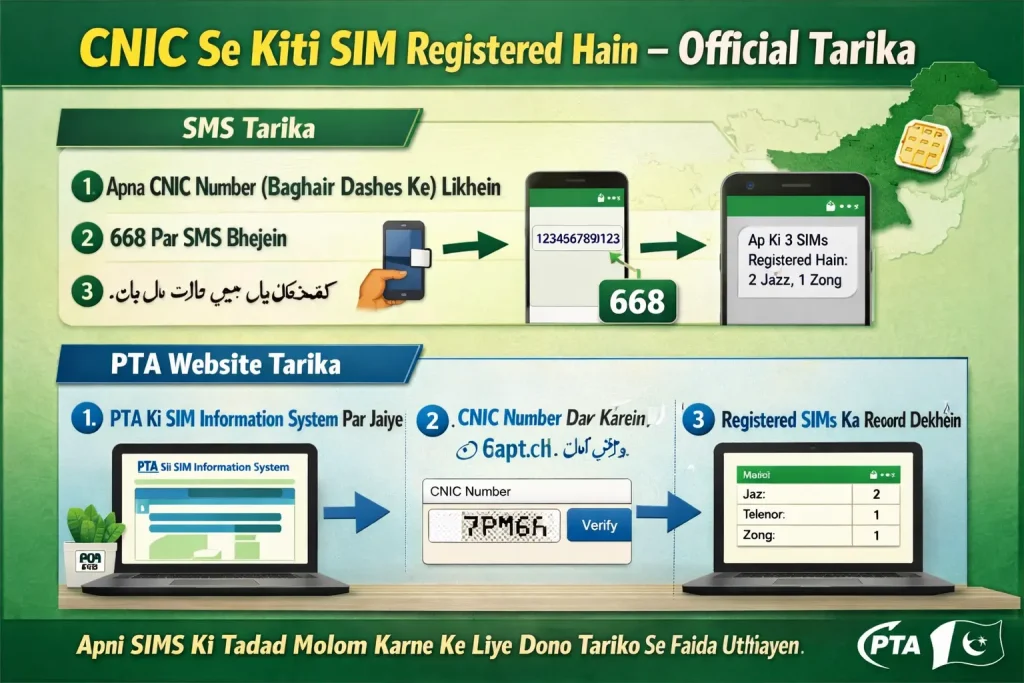
This is the quickest way to check how many SIMs are registered on your CNIC. PTA officially supports this method.
- 1 Open the message app on your mobile phone.
- 2 Type your 13-digit CNIC number without dashes. Example: 3520112345671
- 3 Send this SMS to 668.
- 4 Within a few seconds, you will receive a reply showing all SIMs registered on your CNIC.
Method 2 PTA Official Website
The PTA provides an official web portal where you can check SIM registration details using your CNIC.
- 1 Open your mobile browser or computer browser.
- 2 Go to the official PTA SIM info website: cnic.sims.pk
- 3 Enter your 13-digit CNIC number in the search box.
- 4 Click the Submit or Check button.
- 5 The page will display all SIMs currently registered on your CNIC along with their mobile networks.
Method 3 Using a Trusted Third-Party Website
Several trusted websites in Pakistan allow you to check basic NADRA SIM information using a mobile number. If you want to check an unknown caller's network details, this method can help. You can use a reliable tool like SIM Owner Detail PK to get started quickly.
Never enter your own CNIC number on third-party websites. Only use your CNIC on the official PTA portal at cnic.sims.pk or via the SMS method to 668.
How Many SIMs Can Be Registered on One CNIC?
According to PTA regulations, there is a limit on how many SIMs one person can have registered on their CNIC:
| Category | SIM Limit |
|---|---|
| Normal Citizen (Pakistani) | Maximum 5 SIMs across all networks |
| Foreign National | Maximum 3 SIMs |
| Corporate / Business SIMs | Different rules — contact PTA directly |
If you check your NADRA SIM check results and find more SIMs than you registered, this is a serious problem. It means someone may have used your CNIC without your knowledge to get extra SIMs. You should act immediately.
What to Do If You Find an Unknown SIM on Your CNIC
Finding an unexpected SIM registered under your name can feel alarming. But do not panic. Follow these steps to resolve it quickly:
Taking action quickly protects your identity and prevents someone else from committing crimes using your name.
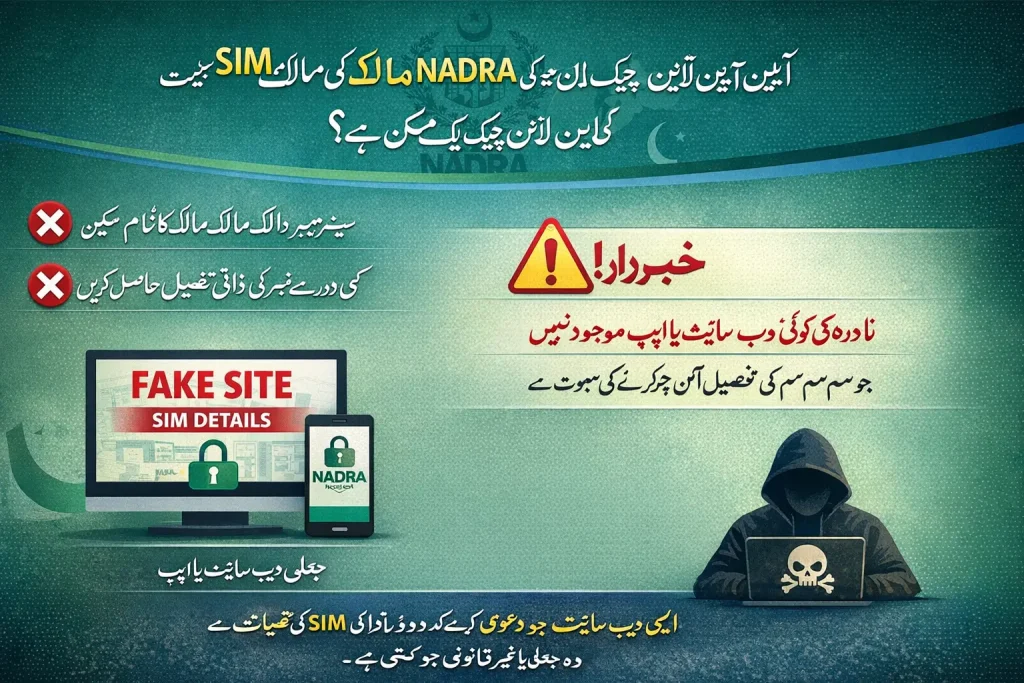
Beware of Fake Websites Claiming Full NADRA SIM Details
As NADRA SIM owner details became a popular search term, many fake and scam websites appeared online. These sites claim to show full personal details like name, address, photo, and CNIC of any SIM owner. This is almost always a scam.
Why These Sites Are Fake
- NADRA does not provide full public access to personal identity data through any website.
- PTA's official system only shows SIM count — not full personal identity information.
- No legitimate third-party website has legal access to NADRA's complete identity database.
- Sites that show full details are either making up the data or using old leaked information.
- These sites often steal your data when you enter a CNIC or phone number.
Is There a Real NADRA SIM Owner Details App?
Many people search for a NADRA SIM owner details app or a free download. Here is the honest answer:
There is no official app released by NADRA specifically for checking SIM owner details. NADRA does have other apps like NADRA e-Sahulat and PASS, but none of them are SIM checker apps.
PTA also does not have a dedicated standalone app for this purpose. The most reliable way to check NADRA SIM information remains the SMS to 668 or the official website cnic.sims.pk.
If you find an app on Google Play or any other store claiming to be a NADRA SIM checker, be very careful. Before installing any such app, always check:
- 👤 The developer name — is it an official government body or PTA?
- ⭐ User reviews — look for patterns of complaints about fake data or ads.
- 🔒 App permissions — does it ask for access it does not need?
- 📅 Last updated date — old or abandoned apps are a red flag.
Most unofficial SIM checker apps are ad-heavy, inaccurate, and potentially dangerous. Stick to the SMS method or the official PTA portal for safe and accurate results.
Is It Legal to Check Someone Else's SIM Information?
This is a common question and a very important one. The short answer is: it depends on what you are checking and why.
Checking your own CNIC. You have every right to know how many SIMs are registered on your name.
Checking a network name from an unknown number for personal safety reasons — like verifying a harassing caller's network.
Trying to get full personal details of someone else. This is illegal under Pakistan's PECA (Prevention of Electronic Crimes Act, 2016). Accessing someone's private data without permission can lead to serious legal trouble.
Always use NADRA SIM data tools responsibly. These tools exist to protect you — not to spy on others.
Official Resources for SIM Verification in Pakistan
| Service | How to Use | What You Get |
|---|---|---|
| PTA SMS Service | Send CNIC to 668 | List of all SIMs on your CNIC |
| PTA Website | cnic.sims.pk | SIM count and network details |
| PTA Helpline | Call 0800-55055 (toll-free) | Report unknown SIMs, get support |
| NADRA e-Sahulat | Visit nearest NADRA office | Identity verification, CNIC updates |
| Jazz Helpline | 111-22-7000 | Block unknown Jazz SIM on your CNIC |
| Zong Helpline | 310 | Block unknown Zong SIM on your CNIC |
| Telenor Helpline | 345 | Block unknown Telenor SIM on your CNIC |
| Ufone Helpline | 333 | Block unknown Ufone SIM on your CNIC |
Conclusion
NADRA SIM owner details is a topic that affects every mobile user in Pakistan. Knowing who owns a SIM card, how many SIMs are on your CNIC and how to remove unknown ones is important for your safety and privacy.
The good news is that Pakistan has an official, free and easy system for this. You can check your SIM registration status right now by sending your CNIC number to 668. It takes under a minute and it is completely reliable.
Always avoid fake websites, never share your CNIC on unknown platforms, and report any suspicious SIM activity to PTA without delay. Stay safe, stay informed, and take control of your digital identity.
The most official and trusted method is to send your 13-digit CNIC number to 668 via SMS. You can also visit cnic.sims.pk to check SIM registration details linked to your CNIC. Both methods are provided by PTA and are completely free and safe.
Not legally or fully. You can check the network of a number using certain trusted tools, but accessing full personal information such as name, address, or CNIC of another person is not allowed under Pakistani law. It violates privacy rights under the PECA 2016 act.
There is no official NADRA SIM owner details app provided by NADRA or PTA. Any app claiming to be an official NADRA SIM checker should be treated with caution. Use the SMS service or the official PTA website instead.
PTA allows a maximum of 5 SIMs per CNIC for Pakistani citizens. Foreign nationals can register up to 3 SIMs. If you find more than 5 SIMs on your CNIC, report it to PTA at 0800-55055 immediately.
Send your CNIC to 668 to confirm. Then call PTA at 0800-55055 (toll-free) and contact the relevant mobile network's customer care to request a SIM block. If you suspect identity theft, also file a complaint with FIA Cybercrime Wing.